CodeB Credential Provider V2 is what meets the user at the
logon screen — NFC, TOTP, PKI smartcards and USB tokens, FIPS 140-2
enforceable, no cloud required. CodeB Conference is the
self-hosted WebRTC video, browser softphone (CodeB Phone) and voice AI
platform that runs on the PBX you already own. CodeB Single Sign-On
is the OpenID Connect identity provider that ships inside Conference and
federates Nextcloud, WordPress, GitLab and your own apps. CodeB Web SSO
is the browser extension that fills credentials into legacy web apps and
Java desktop dialogs. CodeB Desktop Switcher swaps the
whole desktop before a screen share so sensitive files never leak. All five
are operated by Aloaha and deploy on-premises or air-gapped where regulations
require it.
Get answers in 30 secondsVoice-first chat with our AI assistant — in your browser, no install, no appointment. Ask about features, fit for your industry, deployment options or pricing. Powered by CodeB Conference's AI Digital Receptionist.
Flagship · v10.x
CodeB Credential Provider V2
A standalone .NET library implementing Microsoft's ICredentialProviderCredential2
interface. Written from scratch in 100 % managed code, with a plugin architecture
for custom token and authorisation workflows.
The Microsoft Password Provider tile. CodeB ships with an integrated Credential
Provider Filter so once policy is applied, the password tile disappears entirely.
Heritage
CP V2 is not a v1.0 product. Aloaha built and supported Aloaha Smartlogin
for more than two decades — one of the longest-running Windows credential providers
on the market. The Credential Provider V2 is its full re-engineering in modern
managed code: same operational pedigree, modern architecture, a plugin model that
makes new token types easy to add. You are buying twenty years of edge-case
knowledge dressed in a current codebase.
FIPS 140-2 enforceable — and unique
Because the Credential Provider V2 is written in 100 % managed .NET code, it
honours the standard Windows Group Policy setting
“System cryptography: Use FIPS compliant algorithms for encryption,
hashing, and signing.” Switch it on and Windows itself enforces
FIPS 140-2 against every crypto call CodeB makes — no extra runtime, no
parallel crypto library, no trust-us claim. Every other Windows credential
provider we know of is built in native code that cannot be enforced this way.
If you need a FIPS-compliant logon path, CodeB is the only credential provider that
gives you one by ticking a single GPO box.
Two editions, one credential provider
Pick whichever ships best with your deployment model. Both editions sit on top of
the same credential provider — the difference is how the supporting helpers are
packaged.
System Tray EditionUnified
All tools in one system-tray application. Required if you need actions
on card-remove (auto-lock or sign-out). Easier rollout for
daily use.
Each feature is shipped as a standalone executable. Admins install exactly the
tools they need and nothing they don't — useful when scripted, scheduled or
composed into a wider workflow.
Production tip: the System Tray icon can be hidden from end users
by setting the registry value
HKLM\SOFTWARE\WOW6432Node\CodeB\Config\HideSystray. The helper
keeps running — including card-remove actions — but ordinary users can’t see
or misconfigure it. More background:
deployment notes on win-logon.com.
Admin tooling for unattended rollouts
CodeB Admin CLI (CodeBAdminCLI.exe) is a separate
command-line utility for system administrators. It performs the same enrollment
actions the GUI helpers do — link an NFC card to an Active Directory user, store
encrypted credentials, create local soft-tokens, audit assignments, revoke a card
— but unattended, from any batch script, PowerShell pipeline or SCCM task. Rolling
out 500 cards by hand is a week; doing it from a CSV in a loop is an afternoon.
CodeB Admin CLIUnattended
Standalone download. Not bundled with the two editions above — pull it
down separately when you need to script enrollment. Works against both local
accounts and Active Directory. With AD permissions delegated correctly, no
local administrative privileges are required.
Link a card serial as a second factor for an AD user. Equivalent to LinkNFC2AD.exe in script form.
/add2ad
Store encrypted credentials in AD ("Store to AD" enabled). Replaces the manual flow of LinkNFCCard.exe.
/add2fs
Create an encrypted soft-token locally instead of storing to AD.
/list2facards
List every card serial currently assigned to a specific user.
/list2fa
Reverse lookup — given a card serial, find which user owns it.
/deletecard
Remove the card reference from both the 2FA records and the credential tokens.
Parameters
/user
Username being managed.
/domain
Logon domain the user belongs to.
/password
User's password — required with /add2ad only.
/cardserial
Unique identifier (UID) of the NFC card.
/pin
PIN to be assigned to the card for logon verification.
/action
1 = lock screen on card removal, 2 = sign user off.
Example invocations
:: Link a card serial as second factor
CodeBAdminCLI.exe /add2fa /user stefan /domain CodeB /serial AAFFBBCC
:: Store encrypted credentials in AD
CodeBAdminCLI.exe /add2ad /user stefan /domain CodeB /password letmein /serial AAFFBBCC /pin 1234
:: Or store the encrypted credentials locally as a soft-token
CodeBAdminCLI.exe /add2fs /user stefan /domain CodeB /password letmein /serial AAFFBBCC /pin 1234
:: List every card assigned to a user
CodeBAdminCLI.exe /list2facards /user stefan /domain CodeB
:: Reverse lookup: which user owns this card?
CodeBAdminCLI.exe /list2fa /serial AAFFBBFF
:: Revoke a card (clears 2FA + credential token)
CodeBAdminCLI.exe /deletecard /serial AAFFBBFF /user stefan
Admin tip: the CLI writes to AD attributes and the credential
store. Delegate the right AD permissions to the calling account and no local
elevation is required — useful for SCCM tasks and unattended scripts. More
background and complete reference:
CodeB Admin CLI documentation on win-logon.com.
Tokens it accepts
Listed in order of how often we see them deployed.
NFC contactless cards— the most popular choice. MIFARE Classic, MIFARE DESFIRE EV1/EV2/EV3, and a wide library of contactless cards. Use them as a second factor or to replace the password entirely.
TOTP per RFC 6238 — 30-second windows, SHA-1 / SHA-256. The second most popular token. Use it as a second factor or to replace the password entirely.
X.509 PKI smartcards — healthcare, defence and corporate-issued cards. Software certificates also supported. Less commonly deployed; selected where an existing PKI estate is already in place.
USB memory stick — a quick way to evaluate the product on a workstation without procuring new hardware. Convenient for proof-of-concept; we recommend moving to NFC, TOTP or PKI for production.
Where it runs
Operating systems
Windows 8, 8.1, 10, 11 · Windows Server 2012 R2 → 2025 (x86 + x64)
Account model
Local · Active Directory · Microsoft Entra ID · hybrid
Distribution
Command-line installer · deployable via Group Policy or any registry-driven configuration tool · MSI on request
Architecture
Built on ICredentialProviderCredential2 with integrated Credential Provider Filter; custom plugin library supported.
FIPS 140-2
Enforceable by Windows Group Policy (managed-code architecture honours “Use FIPS compliant algorithms”). Native-code competitors cannot be enforced this way.
Sovereignty
No cloud required · EU-operated. On-premises only · no SaaS control plane · no cloud or internet connection required to function · air-gap deployable · operated by an EU company (Aloaha Limited, Malta) and designed for organisations seeking European-operated, self-hosted identity infrastructure without dependency on US cloud platforms
Office author-tagging on shared Windows accounts New
In manufacturing, laboratory, healthcare and other high-turnover settings, multiple
people legitimately work under the same Windows account — a Sammelkonto. That
keeps the workflow going but breaks attribution inside Office: every edit, comment
and tracked change is logged as the same shared user. CP V2 closes that gap: at logon
or unlock, the Credential Provider appends the authenticating NFC card’s
unique ID to the Office author name, in brackets.
username (EA35CF34)
From that point on, any edit, comment, tracked change or metadata write in Word,
Excel or PowerPoint carries the exact card ID used at the workstation — and that
same card ID is recorded in the Windows logon event log. Audit teams correlate the
two and an action inside an Office document becomes traceable to a specific person,
even when the underlying Windows account is shared.
Compliance-ready. Supports identity-tracking requirements under ISO/IEC 27001 (A.9 Access Control) and NIS2 attribution duties for essential / important entities.
Audit-proof. Every action in Office documents links to a unique card token; that token also appears in the Windows event log for end-to-end correlation.
Zero user effort. The author profile is updated automatically on logon and unlock. Operators do nothing differently.
Built for shared-PC environments. Maintains operational efficiency without sacrificing traceability on Sammelkonten.
Requirements: MIFARE or DESFIRE NFC cards (linked to identity via the LinkNFCCard
tool), the CodeB system tray running on the workstation, and CP V2 with the latest
update applied. Author-tagging for USB, certificates, TOTP and OIDC tokens is on the
roadmap.
Hosted · phone.codeb.io
CodeB Conference
Self-hosted WebRTC meetings + browser phone + EU Wallet relay,
layered on the PBX you already own. A meeting room you open in
a tab, a SIP/PSTN bridge that turns phone numbers into participants, a
PWA softphone that rings on incoming calls, ONVIF cameras callable by
name, an optional AI Voice receptionist that answers in any language,
and a built-in EUDIW (EU Digital Identity Wallet) verifier
that lets visitors prove who they are without a password — all on your
own Windows + IIS server. No SaaS subscription. No vendor cloud in the
media path. Air-gap deployable.
A WebRTC video conferencing system running on Aloaha-controlled
infrastructure in the EU. Rooms are minted on demand, accessible by URL,
and torn down when everyone leaves. The shared Call us in the
browser button at the foot of every page on this site is the
same service — one click opens a room and rings our office.
Why it exists
The same regulated estates that need CodeB at the logon screen typically
cannot install consumer video apps. Operations rooms, nursing stations,
manufacturing cells and air-gapped offices need an ad-hoc way to bring
an outside specialist onto the screen without provisioning a Microsoft
365 tenant for them. A browser tab and a URL is the smallest possible
footprint.
Calling fundamentals
Browser-native HD video and audio. 1280×720 native, per-track echo cancellation, noise suppression and AGC on by default. Pure WebRTC in any modern Chromium browser, Firefox or Safari. No installer, no extension, no admin rights.
Mesh topology. Up to about six participants per call, full mesh. Every browser sends to every other browser directly — no media server in the data path. Where you need a 30-person all-hands, this isn't the tool; where you need a sovereign small-team meeting that the server cannot decrypt, this is exactly the tool.
Screen sharing. Full desktop, single window or single browser tab. Auto-spotlights the sharer; reverts to camera when the share stops.
Spotlight, PiP and Document PiP. Click to enlarge any tile. Standard Picture-in-Picture for a single video; on Chrome 116+ Document PiP floats the entire meeting UI — grid, chat, controls — as a resizable always-on-top window.
Front/back camera flip on mobile. One tap to swap between selfie and rear camera on iOS and Android. Other participants see the change seamlessly.
Disposable rooms. URL-based join. No accounts to create, no directory to maintain, no chat history to retain by default.
Real-time collaboration
Every collaboration feature rides the same WebRTC data channels as the media — encrypted end-to-end, never relayed via any server.
In-meeting chat. Markdown-safe text, coloured pills per author, unread badge. Side panel on desktop, full-screen on phone. Encrypted alongside audio and video.
P2P file transfer up to 1 GB. Drag a file into chat; chunked over the data channel with a live progress bar. The file never touches a server; the recipient downloads it directly from the sender's browser.
Remote pointer. Move your cursor over any tile and every other participant sees a labelled arrow at the same spot. Click flashes a ripple. Touch supported. Tile-local; no input injection.
Sticky notes on screen share. Double-click any tile in sticky mode to drop a coloured note at that spot. Editable, author-tagged, timestamped. Synced across all peers. Useful for demos and training.
Shared whiteboard. Fullscreen canvas overlay everyone can draw on — pen, eraser, five colours, undo, clear. Strokes sync over the same data channel; no extra server endpoint.
Reactions and raised hand. Six emoji reactions float up over the sender's tile and dissolve. Raise-hand sets a waving badge with auto-announce in chat.
Breakout rooms. Host splits the room into two to four groups for two to thirty minutes. Each peer reconnects to their sub-room; switch between groups or return to main with one click. Late joiners pick from a live list.
Privacy and on-prem posture
End-to-end DTLS-SRTP media. Media keys are negotiated peer-to-peer at call setup. The server cannot decrypt; even a TURN relay only sees ciphertext.
Lockable rooms with knock-to-join. Lock the room and new joiners are held in a pending queue. Existing participants admit or deny. Strangers never reach the call without explicit consent.
Forensic-grade signed recordings. Every recording ships with a sidecar JSON containing the file's SHA-256, an ECDSA-P256 signature, the participants list and a speaker-turn timeline. Tamper-evident; admissible as audit evidence.
Per-participant recording consent. Click Record and every other peer gets an Allow / Deny prompt. The recording can't start until everyone agrees. Each decision is logged into the ECDSA-signed sidecar — cryptographic proof of who consented when.
Local recording, no cloud. The recording is a composite canvas of every tile plus AudioContext-mixed audio, written as WebM (VP9 + Opus) straight to the recorder's machine. Nothing is uploaded anywhere.
Verified-by-CodeB badge. Participants joining from a workstation running Credential Provider V2 show an amber shield next to their name in the meeting itself. Visible identity attestation that internal staff are distinguishable from external guests, without making the meeting closed.
Time-limited TURN credentials. If the relay is in play, credentials are minted per session and expire automatically after one hour. No static password is ever embedded in page source for an attacker to harvest.
Zero analytics, zero telemetry. No usage pings, no third-party analytics, no error-reporting SaaS. The IIS access log is the only record of who connected, and it stays on your server.
Polish and reliability
Bandwidth-adaptive ladder. Outbound video steps down per recipient through 720p → 480p → 360p → audio-only as link quality demands. Each peer gets the best tier their connection can carry — the slowest person doesn't pull everyone else down.
Route and quality badge. Each remote tile carries a small chip — LAN · 1080p, P2P · 720p or Relayed · 480p — so you can confirm the link is truly peer-to-peer (or see when it's not) at a glance.
Connection-quality bars. Per-tile signal bars track round-trip time, packet loss and bitrate. Colour-coded so you can spot a struggling peer at a glance.
Auto-reconnect. If the network blips, the call recovers itself with a brief Reconnecting… banner. Peer connections are re-established, the meeting resumes without anyone rejoining.
Audio elevator brake. Sudden volume spikes on any remote stream are softened automatically; the speaker's tile gets a discreet warning badge so nobody is blown out of the call.
Per-tile volume sliders. Hover any remote tile for a small vertical slider top-right. Independent volume per participant, 0–200 %. Local to your tab, doesn't change anyone else's audio.
Background blur. On-device segmentation: you stay sharp, your background goes soft. Runs entirely in the browser; no image leaves your machine for processing.
Idle camera dim. When your tab loses focus, outbound video drops to a low bitrate; it comes back full-quality the moment you return. Saves bandwidth for everyone else without a manual mute.
Live device and name rename mid-call. Switch microphone, camera or display name without dropping the connection. Peers see a system message and the updated tile label.
Keyboard shortcuts.M mute · V camera · S share · C chat · E spotlight · H hand · P PiP · Space push-to-talk.
QR code join. The landing page generates a live QR for the room URL as you type, in-browser — no third-party service involved, works fully offline.
Persistent preferences, local-only. Name, device picks, mirror, push-to-talk, auto-spotlight, pointer, blur, join-muted, join-cam-off — all remembered across sessions. Stored locally; never sent to any server.
Click-to-call and PSTN bridge
A self-hosted WebRTC ↔ SIP gateway turns a meeting room into a callable destination — or a phone number into a meeting participant. Phones are first-class participants, not bolt-ons.
One-click call from any web page. Drop the codebCallUs() launcher script on a contact form, support page or email signature. The visitor lands in a fresh meeting room, the bridge dials your team's phone automatically, and the visitor and the answering phone share a private meeting. No installs, no plugins, no third-party redirect.
Unguessable alias dialling. Every callable destination has an unguessable 64-bit alias like n_dbbe66524a5cd792. Public URLs and embeds reference the alias, never the real number, so it never appears in page source, signatures or printed material. Aliases rotate without changing the destination.
Bring-your-own SIP trunk. Works with any standards-compliant SIP PBX or trunk provider — FreePBX, Asterisk, FRITZ!Box, Yeastar, hosted ITSPs and many more. Credentials live in the bridge's local config; nothing routes through a third-party intermediary. Your call records belong to your trunk provider.
Multi-trunk with priority and failover. Define multiple trunks; each gets a priority. A dial uses the highest-priority trunk with free capacity; if the chosen trunk is busy or unreachable, the bridge transparently switches to the next. Per-trunk concurrent-call caps let single-line residential and high-density SIP providers coexist.
Per-number routing rules. Rules such as "extension 610 always dials via the office PBX" or "everything in +356 goes via the Malta trunk." Wildcards and E.164 prefixes both supported — useful when destinations need different carrier paths for compliance or cost.
Per-trunk dial prefix. Each trunk has an optional dial prefix (e.g. *31# on European carriers) prepended automatically to E.164 destinations. Use it for per-call caller-ID suppression, premium-route opt-out codes or any carrier-specific dial signal. Internal extensions are never prefixed.
Outbound caller-ID per trunk (PAI / RPID). Each trunk sends a configurable P-Asserted-Identity or Remote-Party-ID header on outbound dials, so calls leave the bridge with the correct presentation number for the carrier — main switchboard on one trunk, billing line on another, withheld on a third. Carriers that strip From-header CLI still see the right ID.
Strict number whitelist. The bridge only dials numbers explicitly enumerated by the operator. An attacker who finds a dial URL can't redirect it to a premium-rate destination — the whitelist is the gate, the alias is just a shortcut to a row in it.
Geographic prefix restriction. Operator-configurable E.164 prefix allowlist. Ship a deployment that can only dial European destinations (or any subset). Plus a blocklist for premium-rate ranges that always wins, even if a whitelist entry accidentally includes one.
Per-call fraud caps. Hard limits on concurrent outbound calls, max call duration, daily call-count per room and per requester IP. Even with the whitelist breached, an attacker can't run up an unbounded carrier bill before the cap stops them.
Mid-call "add a phone" button. While a meeting is going on, anyone in the room can press Dial phone, type a number, and the bridge calls them into the room as a participant alongside the video peers. No need to rejoin, no need to switch tools. The equivalent of Zoom Phone or Teams Phone — bundled, no extra licence.
Text-to-speech auto-reply with country-aware language. Answer specific inbound callers with a pre-recorded message instead of ringing the softphone. Match by ISO-2 country, country name or raw E.164 prefix — play German for +49, "I do not speak Mandarin" for +86, English fallback for everyone else. Uses Windows' built-in SAPI engine, pre-rendered to G.711 at startup, so first matching call answers in milliseconds with zero per-call TTS latency. No API key, no external service, no data leaves the host.
CodeB Phone — the desk phone in your browser (PWA)
Beyond ad-hoc meeting rooms, the same stack powers CodeB Phone — a registered identity that rings on incoming calls from teammates or the PSTN trunk, and signs in via the built-in OIDC IdP. Installable as a Progressive Web App on Windows, macOS, Chromebook or Android. Leave it open, pick up calls all day.
Installable as a desktop app. Progressive Web App on Windows, macOS, Chromebook and Android. Standalone window, dock/taskbar icon, launches with the OS. Browser tab discard can't kill it; it stops cluttering your tab bar. No MSI, no provisioning portal — every employee has a desk phone in five minutes.
Self-updating. When a new build ships, the open phone notices within minutes and shows a small "Update available — reload" chip. One click rolls forward with no manual cache clears or admin involvement. Mid-call updates are deferred until you're ready.
Inbound calls ring your tab. Register as a user (anna, sales, reception…) and the SIP bridge routes incoming PSTN and teammate calls to your tab with a familiar ringer, OS-level notification and accept/decline. Pick up — the meeting room opens with the caller already there.
Browser-to-browser direct calls. Type a name in the Call widget and that teammate's phone rings peer-to-peer — no SIP trunk, no carrier minute. Type a number instead and the bridge dials through your trunks. One control, two backends, no mode switch. Zero-cost intra-team calling.
Auto-recovery from trunk loss. If a PBX or SIP trunk reboots or drops off the network, the bridge tears down the stale registration and re-registers within roughly a minute. Inbound calls resume without restarting the service. Surfaced in the trunk log for operator visibility.
Operator visibility. Built-in admin views show recent inbound and outbound calls, who routed where, and live trunk REGISTER state — useful when a caller says "I rang and no-one picked up" and you need to confirm whether it ever reached the bridge. All on-prem, no external dashboard required.
ONVIF cameras as callable destinations
Register an ONVIF IP camera with the bridge and it appears in the Call widget under a friendly name. Dial it and the camera streams its live feed into your browser; press talkback and your microphone goes back down the camera's built-in speaker. Useful for door stations, reception cameras, warehouse intercoms, livestock and remote-site monitoring. Try the live demo: open CodeB Phone, register any name, then dial camera — that's the public test alias pointing at a real ONVIF camera.
Call a camera by name. Configure each camera with a short alias (camera, reception, loadingbay) in your bridge config. Type that name into the Call widget and live H.264 video opens in a dedicated viewer window — no extra app, no plugin. Camera names are reserved system-wide; nobody can register a softphone identity that would shadow a camera route.
Two-way audio via ONVIF backchannel. On cameras that expose the backchannel profile (most Reolink, Hikvision, Dahua, Axis indoor units with built-in speakers), a single talkback click routes your microphone through the camera's speaker. Push-to-talk through a door station, calm a barking dog, give a delivery driver instructions — without leaving the browser.
Camera credentials never leave the server. The bridge holds the camera's HTTP credentials in its local config and signs upstream calls itself. The browser only ever sees a friendly name and an SDP answer — never an RTSP URL, never a password, never a hostname. Rotate camera passwords on the device, update one config entry, done.
Direct media, server stays out of the path. The signalling endpoint proxies only the SDP exchange; once the call is up, WebRTC media flows directly between the browser and the on-prem camera relay. No transcoding service, no third-party relay, no per-minute media bill. Server CPU stays at idle even with several cameras live.
Standards-compliant cameras. RTSP and ONVIF — the same protocols every prosumer IP camera already speaks. No vendor SDK, no cloud account, no firmware lock-in. Tested with Reolink and Hikvision; any camera streaming a Main/Sub RTSP profile with H.264 video and (optionally) AAC or G.711 audio fits in.
Built-in OpenID Connect single sign-on
CodeB Conference ships with a full OpenID Connect identity provider in the box — the same component documented separately as CodeB Single Sign-On. Sign in once on the landing page and you carry an authenticated identity into every meeting room, every embed of the call-us launcher and every PWA softphone session, with no second login dialog. The IdP also federates any other application you run, so the credential store stays singular.
OIDC IdP shipped, not bolted on. The same install that runs the conference signalling also exposes /.well-known/openid-configuration — standard OpenID Connect Core 1.0, Authorization Code flow with PKCE (S256), RS256-signed JWTs. Any OIDC-compliant relying party works against it; no separate IdP procurement, no SAML proxy, no Keycloak alongside.
Verified-in-call badge. Authenticated participants get the amber CodeB shield next to their name in every meeting tile — visible attestation that the person is who they say they are, not a guest who happened to type a familiar display name. Spoofed identities cannot pass for known employees, without forcing the meeting to be members-only.
One credential store across voice, video and federated apps. Sign-in reuses the SIP HA1 password hash your softphones already use. Plaintext passwords never reach the server — the browser hashes them before posting. One user record drives the phone, the video room and every federated relying party.
Federate Nextcloud, WordPress and any OIDC app. Point your Nextcloud or WordPress install at the discovery URL and users sign into them with the same CodeB credential they sign into the phone with. Documented setup guides for both; any other OIDC-compliant relying party works out of the box.
Cookie-free, per-tenant RSA keys. No session cookie anywhere on the install. Tokens live in per-tab sessionStorage and disappear when the tab closes. Each tenant gets its own 2048-bit RSA signing key; tokens minted for tenant A never verify against tenant B.
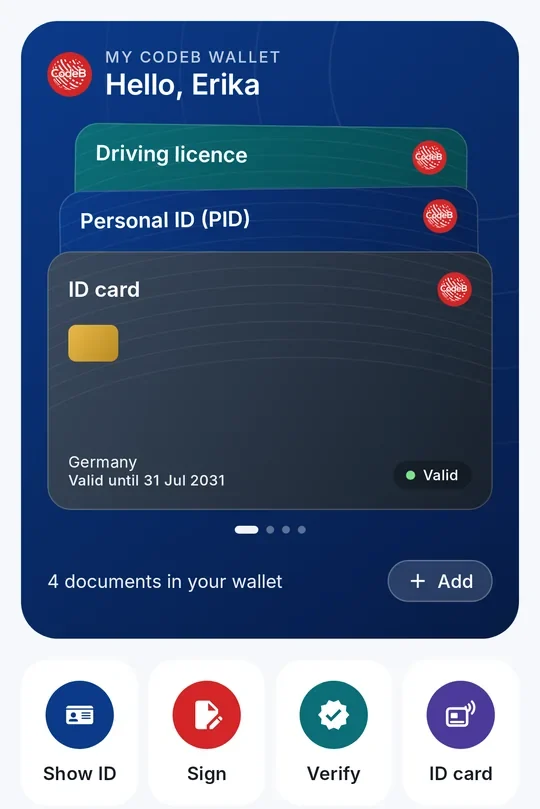
EU Wallet sign-in — OID4VP 1.0 verifier, shipped Verified 2026-06-08
A built-in OpenID for Verifiable Presentations (OID4VP) 1.0 verifier accepts EU Digital Identity Wallet (EUDIW / eIDAS 2.0) presentations as a high-assurance sign-in factor for CodeB Conference. Visitors prove who they are by sharing only the attributes you ask for — no password, no second account, no third-party verifier in the path. The verifier is conformant with the HAIP 1.0 profile (High Assurance Interoperability Profile) and uses the standards the EU Reference Wallet itself targets, so any conformant wallet on the user's phone works without per-wallet integration. End-to-end round-trip test passed against a spec-compliant mock wallet on 2026-06-08, returning HTTP 200 with verified PID claims and a signed SSO assertion.
OID4VP 1.0 + HAIP 1.0 conformant. Native OID4VP 1.0 verifier built to the High Assurance Interoperability Profile. Authorization request as an ES256-signed JAR (typ=oauth-authz-req+jwt) with the x509_san_dns client-id scheme and an x5c chain pinned per HAIP 1.0. No bespoke wallet integration — any conformant wallet works.
DCQL, not PEX legacy. Credential queries are written in the native OID4VP 1.0 DCQL syntax (Digital Credentials Query Language), not the older Presentation Exchange format. Cleaner queries, no legacy translation layer, faster integration against modern wallets.
JWE ECDH-ES + A128GCM response encryption. Verifier responses ride JWE compact serialisation with alg=ECDH-ES and enc=A128GCM, NIST SP 800-56A Concat KDF, RFC 7518 §4.6 / §5.1 conformant. Disclosed claims are encrypted to the verifier's ephemeral P-256 key — no plaintext over the wire.
SD-JWT VC with KB-JWT holder binding. Selective-disclosure JWT Verifiable Credentials (vc+sd-jwt format) with SHA-256 _sd disclosure hashes, holder-bound via a KB-JWT that re-signs the verifier's nonce, audience and sd_hash. Replay-resistant by construction.
PID claims selectively disclosed. The test run pulled given_name, family_name, birth_date and age_over_18 from a urn:eu.europa.ec.eudi:pid:1 credential — ask only what the meeting needs, the rest never leaves the wallet. GDPR data-minimisation by construction.
Verified-claim SSO relay. On successful presentation, the verifier mints a signed SSO assertion with amr=["vc"] and acr="urn:codeb:acr:eudi-wallet". Every relying party that trusts the tenant's OIDC IdP inherits the verified identity through ordinary userinfo — one wallet presentation, every federated app benefits, no bespoke integration.
Verified-in-call badge upgraded. Where Credential Provider V2 paints the amber CodeB shield on workstation users, a wallet-attested participant gets a second shield naming the credential's issuer. Visible in the meeting itself who is who and how strong the assurance is.
Self-hosted, EU-sovereign, NIS2/DORA aligned. Verifier runs alongside the OIDC IdP on your IIS host. The wallet talks directly to your domain — not to a SaaS verifier, not to a hyperscaler. Sessions persist atomically under App_Data/<tenant>/vp-sessions/, so IIS app-pool recycles or multi-worker routing never lose a mid-flight presentation.
Use cases ready today. Pilot deployments, identity-proofing demos, member-organisation logins, restricted meeting rooms (only verified physicians, only over-18s, only EU residents). Production high-assurance identity proofing is the iteration-2 target as the LoTL trust chain and per-issuer JWKS verification land — transparent about what ships now vs what is next.
CodeB Voice AI — inbound receptionist, outbound campaigns, REST API
CodeB Voice AI ships a voice-first virtual assistant that answers an inbound phone number on your behalf and places outbound calls on a schedule. Pluggable AI Voice Engine, on-premise or cloud per deployment, per-vnum personas, REST API with webhooks for every call lifecycle event, and the same launcher behind the in-browser Discuss products with AI assistant button at the top of this page — one stack, three surfaces.
Voice AI answers the phone. Point a DID at CodeB, pick a real-time voice mode, paste a system prompt — the next inbound call is answered by a voice AI that speaks any language, follows the script, takes messages, transfers to staff on intent and emails you the transcript. The model backend is pluggable per deployment; runs on your existing trunk, no per-minute SaaS surcharge.
Personas per number. One front desk can run as three different personas behind three DIDs — reception, restaurant, spa — each with its own prompt, its own knowledge base and its own escalation path. Small teams stop losing after-hours calls without hiring a call centre.
Browser-side virtual assistant. The same backend dials in when a visitor clicks Discuss products with AI assistant — voice-only WebRTC, no install, no appointment, ringing the assistant alias instead of a desk phone. Same prompts, same transcript pipeline, same data residency.
Outbound campaigns. Schedule a list of numbers and let CodeB Voice AI dial them on cadence — retry-on-no-answer, live monitor, per-vnum throttling. Useful for appointment reminders, payment-follow-ups, customer-research callbacks. Same Voice AI engine, same trunks, same transcript pipeline.
REST API + webhooks. Public REST endpoints to start, monitor and tear down voice-AI calls, plus webhooks fired on every lifecycle event — call.started, call.answered, call.transferred, call.ended. Plug it into your CRM, your ticketing system or your ops dashboard without polling.
Signed transcripts. Every call — receptionist, outbound or browser-side — produces an ECDSA-signed transcript JSON with speaker turns and timestamps. Auditable; non-repudiable; emailed to the operator when the call ends.
Multi-tenancy
Tenant equals request domain. A request for phone.acme.com routes to the Acme tenant; phone.contoso.com to Contoso. The signalling endpoint, SIP bridge and CDR writer all key off the Host header. No shared user table, no cross-tenant collisions.
Per-tenant everything. SIP credentials, trunks, fraud caps, auto-reply rules, CDR files and registered softphones — all scoped to the tenant key. Storage paths are tenant-prefixed (App_Data/<domain>/…); a bug in one tenant cannot reach into another's data.
Drop-in tenants, zero downtime. Stand up a new customer by adding a hostname — DNS A record + IIS host binding + tenant config block. No schema migration, no restart of other tenants. The instance keeps serving the others while the new one warms up.
Architecture — what runs where
IIS signalling
A small WebSocket endpoint on the IIS side relays room joins, SDP offers/answers and ICE candidates. The server stays out of the media path — it only helps peers find each other.
CodeB TURN (optional)
An on-prem STUN+TURN relay for users behind strict corporate firewalls or symmetric NAT. Single-file install, runs as a Windows Service. No Docker, no Linux dependency. Stays inside your network; air-gap deployable.
CodeB SIP bridge (optional)
A Windows Service that registers as a SIP extension on your PBX or trunks, bridges between WebRTC browsers and the carrier audio path, and keeps itself alive through reboots and network drops. Needed only if you want to talk to phones; without it the platform is pure browser-to-browser.
CodeB camera relay (optional)
A small RTSP → WebRTC translator that runs on the same host as the bridge and connects to your IP cameras over the LAN. Needed only if you want to call cameras from the phone surface.
Browser only — no client install
Every participant joins from a regular HTTPS page. Camera, mic, screen share, file transfer, recording — all happen in the user agent. Optional install for the always-on phone surface; everything else is just a URL.
Hosted at phone.codeb.io
Use the public instance at phone.codeb.io. Aloaha runs and maintains the signalling, TURN and SIP-bridge servers; you embed the launcher and we resolve your office alias to the right destination.
Self-hosted on your infrastructure
For estates that cannot route media through a third-party service, the full server stack — signalling, STUN/TURN, SIP bridge, camera relay, OIDC IdP — deploys onto your own Windows hosts running IIS. No outbound dependency; suits air-gapped pilots.
Licensing
Hosted: per-seat or per-room SKU on request. Self-hosted: site licence priced on installation footprint. AI Digital Receptionist and ONVIF camera relay licensed as add-ons.
Try it now: scroll to the footer of any page on this site and hit
Call us in the browser. That's CodeB Conference, ringing
our office.
Built in · OpenID Connect
CodeB Single Sign-On
Your own OpenID Connect identity provider. Cookie-free,
PKCE-only, RS256 with per-tenant RSA keys. Signs admins into the CodeB
Conference admin pages and federates any other application you run —
reusing the SIP user database for credentials, so there's no extra user
store to keep in sync.
CodeB Web SSO is a workstation browser extension that fills
usernames, passwords and TOTP codes into web-app login forms. It hides the
credential dance from the user, but each application still owns its own
credential. CodeB Single Sign-On is the identity layer
underneath: an OIDC identity provider that other applications point at, so
the credential lives in one place and every relying party gets a signed
token instead of a copy of the password. The two products are complementary,
not alternatives.
What you get
Standards-based. OpenID Connect Core 1.0, Authorization Code flow with PKCE (S256), RS256-signed JWTs. Discovery per RFC 8414, JWKS per RFC 7517. Any OIDC-compliant relying party works.
Cookie-free by design. No session cookie. No tracking cookie. The login form mints the authorization code directly, tokens live in per-tab sessionStorage and disappear when the tab closes.
One credential store. Sign-in reuses the same HA1 password hash your SIP softphones already use. The plaintext password never reaches the server — the browser hashes it before posting. One user record drives both voice and identity.
Per-tenant RSA keys. Each tenant gets its own 2048-bit RSA signing key, generated on first need. Tokens minted for tenant A never verify against tenant B.
Roles, server-enforced. Four roles out of the box: admin, user, siponly and guest. The role travels in the JWT as a custom claim and as a standard groups entry. Admin pages re-check role === "admin" server-side on every request — client-side checks are UI only.
Multi-tenant from day one. Tenant identity is the request domain. Adding a new tenant means adding a hostname — the first request to the OIDC endpoint generates that tenant's RSA key. No schema migration, no restart, no downtime for the other tenants.
The endpoints
Discovery
/.well-known/openid-configuration — RFC 8414 metadata. Lists every other endpoint.
JWKS
/.well-known/jwks.json — RFC 7517 key set. Lets any RP verify token signatures.
Authorization
/oidc.ashx?action=authorize — redirects to the login form, then back to the RP with an auth code.
Token
/oidc.ashx?action=token — exchanges the auth code (with PKCE verifier) for access token, ID token and refresh token.
UserInfo
/oidc.ashx?action=userinfo — returns the signed-in user's sub, role and profile claims.
End session
/oidc.ashx?action=end_session — RP-initiated logout. Clears tokens client-side, redirects to post_logout_redirect_uri.
Token lifetimes
Access & ID tokens 1 hour · refresh tokens 7 days · auth codes 60 seconds, single use.
Signing algorithm
RS256 (2048-bit RSA), one key per tenant, rotatable by deleting the key file.
Audit log
JSONL at App_Data/<tenant>/logs/codeb-oidc-YYYY-MM-DD.log, plus a parallel feed into the Windows Event Log under source CodeBOIDC.
Licensing
Included with CodeB Conference. Stand-alone IdP licence available for sites that only need the OIDC server without the video stack.
Integration takes three lines of relying-party config — an issuer URL, a
client ID and a redirect URI. The discovery document fills in everything else.
See the full
OIDC feature page
for the integration walk-through and claim shape.
Add-on · works with CP V2 or standalone
CodeB Web SSO
One login. Every web app. No passwords exposed. A managed
browser extension for Microsoft Edge and Google Chrome that signs users into the
web applications they use all day — including the 6-digit TOTP step where required —
and into legacy native applications and Java desktop apps as well, without ever
exposing the underlying credentials to page JavaScript.
Web SSO ships as a browser extension distributed through the official Microsoft
Edge Add-ons and Chrome Web Store, paired with a small native helper. When a user
navigates to a configured site, the helper supplies the credential to the
extension over a secure channel and the extension drops it into the login form on
the user's behalf. The credential is never read by the page, never serialised into
page-level JavaScript, and never copied to the clipboard.
For security teams
No browser-stored credentials. Credentials live in the native helper at the OS level — not in browser profile storage, not in extension storage, not synced across browsers. A leaked browser profile or compromised sync key reveals nothing.
No clipboard, no persistence. Web SSO fills credentials directly into form fields over Chrome and Edge's process-isolated Native Messaging channel. They are not copied to the clipboard and not retained in extension memory between sign-ins.
Distributed through official browser stores. Signed and reviewed by Microsoft and Google — the same supply chain your existing browser-extension policy already governs.
Zero-trust friendly. Combine with the Credential Provider V2 and every web sign-in is anchored to a workstation logon that was itself attributable to an NFC card, PKI smartcard or USB token.
For your users
One-click or silent login. Most sites sign in automatically the moment the page finishes loading; the rest are one click.
No repeated prompts. Users stop typing usernames and passwords for the everyday tools entirely.
No workflow interruptions. Once deployed, Web SSO is invisible until the rare case where it has to surface a prompt — then it asks once and remembers.
TOTP auto-fill. Web SSO can generate and enter the 6-digit one-time password on the second-factor screen too. No phone, no copying codes between windows.
Beyond the browser: legacy and Java apps
The same credential broker that drives the browser extension can also sign users
into legacy native Windows applications and into Java desktop apps that put up
their own login dialog. A frequent deployment pattern is T2Med —
the Java-based GP-practice management suite — where Web SSO removes the daily
friction of program-start logins for clinicians. See the full
T2Med case study and demo video.
The mechanism generalises to any application that exposes a recognisable login surface.
Two ways to deploy it
Bundled with CP V2
Installed automatically by the Credential Provider Installer when you run the CodeB Tools Edition setup. No separate install step.
Standalone
Download the Web SSO package, run the executable once as Administrator on first launch so it can register with the supported browsers, and you're done. No CP V2 dependency.
Browser support
Microsoft Edge (Edge Add-ons store) · Google Chrome (Chrome Web Store) · Chromium-based browsers via the Chrome extension
Native & Java apps
Yes — credentials can be filled into legacy Win32 login dialogs and Java desktop apps. Reference deployment: T2Med.
Second factor
Generates and auto-fills RFC 6238 TOTP codes on the 2FA step, with the secret kept by the native helper, not by the page
Account configuration
Launch CodeBWebSSO.exe from the toolbox to add and edit user accounts per site / application
Distribution
Browser extensions auto-register on first browser restart after install; native helper is a single executable
Licensing
Included with Credential Provider V2 · standalone seat licence available
Standalone · ships separately from CP V2
CodeB Desktop Switcher
Data Exposure Prevention for screen shares. Instantly hide
sensitive clinical records, internal schematics or operational files with a
single tap before initiating a Teams, Zoom or Google Meet screen share. One
hotkey swaps your entire desktop — files, icon positions and per-monitor
wallpapers — for a clean, shareable profile. Tap again to restore the
working desktop. Nothing is deleted; sensitive files are parked, not exposed.
You're about to share your screen with a client, an auditor, a vendor or a
patient family member. Your desktop holds material the other party should not
see — a contract draft, a clinical case file, a network schematic, an
unredacted CSV. Without Desktop Switcher, you have thirty seconds and forty-seven
files to move. With it, one keystroke pulls those files off the desktop into a
private profile before the screen share ever begins, and a second keystroke puts
them back when the call is over.
A complete desktop swap, not an overlay
Other tools group your icons or hide the desktop. Desktop Switcher physically
moves files in and out, restores icon positions exactly as you left them, and
applies a different wallpaper to each monitor. When a profile is inactive, its
files genuinely aren't on the desktop — they're parked in your AppData folder
until you switch back.
What's in the box
Real file isolation. Files of inactive profiles live in AppData, not on the desktop. The icons aren't hidden — they're gone, until you switch back.
Per-monitor wallpapers with the full set of fit modes — Fill, Fit, Stretch, Tile, Center, Span. All applied atomically when you switch.
Icon layouts preserved. Where each shortcut sits on the desktop is part of the profile. Switch back later and every icon lands exactly where you left it.
Global hotkeys. Bind Ctrl+Alt+1 to your work profile, Ctrl+Alt+2 to your clean-for-clients profile. Works from anywhere in Windows, no mouse required.
Tray boss-key. Configure the tray icon to switch to a designated profile on double-click. The fastest possible panic clean for an unexpected call.
Command-line interface.CodeBDesktopSwitcher.exe --switch "Clean Demo" — wire it into scheduled tasks, batch files, or Stream Deck buttons.
Hide-all-icons toggle. Don't want to build a profile? One menu item or hotkey hides every desktop icon entirely, until you toggle it back.
Export & import. Profiles save to a single .cbds file — effectively a zip archive, so it diffs and version-controls like any other text bundle. Carry your setup to another machine, share a sanitised demo desktop with a colleague, or back up your config.
Portable and lightweight. One executable, under 1 MB. No installer, no services, no admin rights, no traces. Drop it in any folder and run; delete the folder to uninstall.
Four steps. Then never think about it again.
Create a profile. The first profile silently adopts your current desktop. Nothing moves, nothing changes — it's just labelled now.
Customise for a context. Build a second profile by rearranging your desktop the way you want it — clean wallpaper, only a few icons. Click "Update From Desktop".
Switch with one click. Or a hotkey. Or a tray double-click. Files swap, wallpapers swap, icons land where you want them. Takes about a second.
Switch back. Same thing in reverse. Your real desktop reappears exactly as you left it, down to icon positions and per-monitor wallpapers.
Profiles follow your virtual desktops
Desktop Switcher pairs cleanly with Microsoft's built-in Virtual Desktops feature.
In Task View (Win+Tab), rename any virtual desktop to match a Desktop
Switcher profile and the two are linked automatically — no settings table, no
GUIDs, no fragility when you rearrange desktops. Switching virtual desktops with
Ctrl+Win+→ then applies the matching profile within a fraction of a
second.
Two modes: wallpaper-only (default — instant, no Explorer
restart, every virtual desktop ends up with its own backdrop) or full
profile (files, icon positions and wallpapers all swap as you move
between virtual desktops).